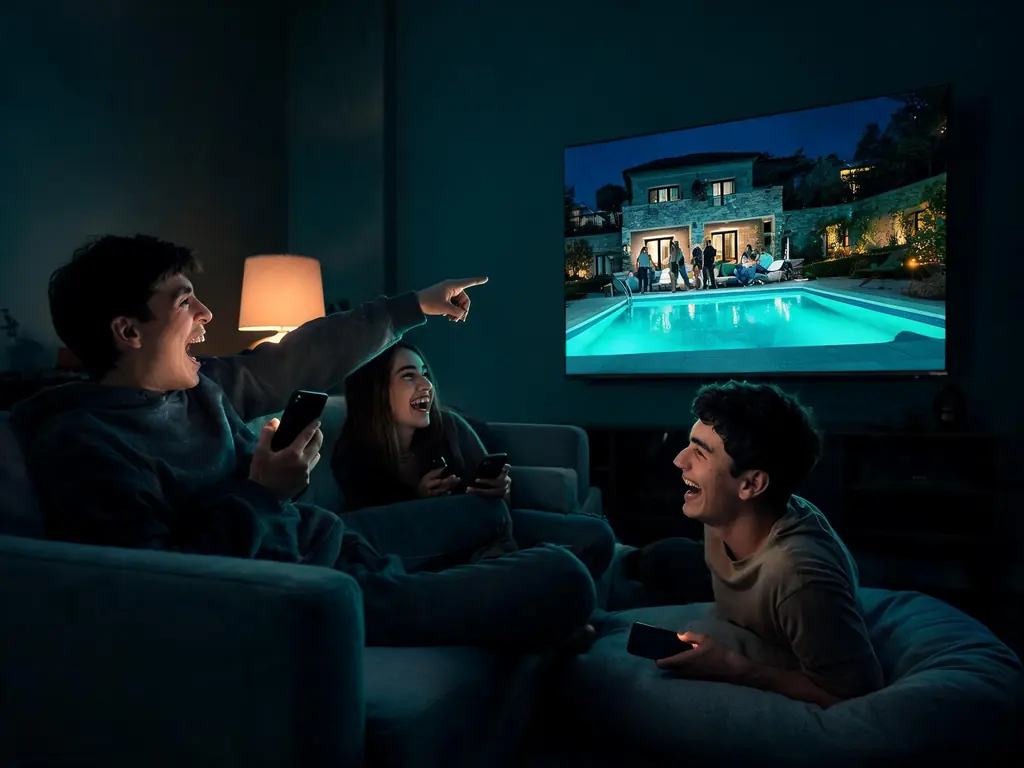
KezelTV is ordered through one form on this site and supported through one WhatsApp number, so everything below comes from that chat. It covers the payment link, the 24-hour trial and the 7-day refund, a player for each kind of screen, and the reason most people sign up: live entertainment as it airs, found in the guide and replayed the next morning wherever a channel keeps catch-up. A month costs $15, no plan renews by itself, and the trial asks for no card.
About KezelTV and who sells it
What is KezelTV?
KezelTV is a paid IPTV service: live television and an on-demand library streamed over your home internet, with no dish, aerial or cable contract involved. One login unlocks 25,000+ live channels across 60+ countries, plus 120,000+ movies and series. It is built for the evening schedule as it airs, from talk shows and reality TV to award nights and breaking news, watched at the same moment as everyone else and found quickly in the program guide.
Is KezelTV the same as other sites called Kezel TV?
No. We take orders in exactly two places: the order form on this website, kezeltv.xyz, and our WhatsApp line, +212 663 813 479. Other businesses trade under a similar name on different domains, with their own prices and their own servers, and we cannot activate, extend or refund anything bought from them. If a message offering KezelTV comes from any other number, compare it with this page before you pay anything.
Is KezelTV legit?
Judge it on what you can check yourself before any money changes hands. Prices are published openly, the 24-hour trial runs on a full account without card details, and each plan carries a 7-day money-back guarantee. Nothing renews behind your back, and a real person replies on WhatsApp day and night. Our own KezelTV review lists those checks one by one, so you can tick them off as you go.
Is there a KezelTV app or APK?
No, so any file passed around under that name did not come from us. The service plays inside a third-party player you pick yourself, IPTV Smarters Pro and TiviMate being two common choices. You enter three details from us, a server URL plus an Xtream Codes username and password, or a single M3U link in apps that prefer a playlist. The KezelTV app page pairs each device with a player that suits it.
Is KezelTV 8K?
No. Broadcasters do not send live pictures in 8K, so no service can honestly stream a live channel at that resolution. 4K reaches you only where the broadcaster's own source is 4K; other channels arrive in FHD or HD. An 8K television will upscale those pictures, often very cleanly, but upscaling is what it remains. KezelTV and 8K screens covers what such a set does add.
What does every plan include?
The entire service, whichever term or screen count you choose. That means 25,000+ live channels, the 120,000+-title on-demand library, the program guide, catch-up wherever a channel keeps an archive, feeds in 4K, FHD and HD, and round-the-clock help on WhatsApp. Plans differ in exactly two respects: the number of months, and how many screens may stream simultaneously.
Who is this service really for?
Mostly people who like their television live: the late-night talk show as it goes out, the reality vote as it unfolds, the last minutes of a final, the election count. If you are the one hearing about it at work the next morning and wishing you had seen it, the line-up is arranged with you in mind. The on-demand library covers the evenings when nothing live appeals.
Ordering through the form on this site
How do I buy KezelTV?
Pick a term and a screen count, fill in the order form on this site, then pay through the secure link that follows on WhatsApp. The login arrives in that same conversation, typically within 15 minutes, with steps for the device you named. KezelTV plans and prices sets every option side by side, and anyone who wants to look first can take the free trial without paying.
What happens after I send the order form?
Someone on the team picks it up on WhatsApp, confirms the plan you selected and sends a secure payment link. As soon as the payment shows as cleared, your username, password, server URL and M3U link arrive in that chat. From that moment, activation usually takes less than 15 minutes, whatever the hour. If you mentioned a device, its setup walkthrough travels with the login.
What information does the order form need?
Very little: the plan, the screen count and a WhatsApp number we can reach. Both the payment link and your login will go to that number, so double-check the country code before you submit. There is room to add the device you plan to watch on, which saves a message later. No field anywhere in the form asks for card details, and none ever will.
Is paying by card safe?
Yes, provided your card goes only into the payment page our link opens. Nobody on our team will ask you to type card digits, a security code or a banking password into WhatsApp, and anyone who does is not us, however familiar the name looks. If something feels wrong, stop and message +212 663 813 479, the number published on this site, before going any further.
How fast is activation?
Normally under 15 minutes after the payment clears, day or night, because the WhatsApp desk never closes. An order placed in the late afternoon can therefore be running well before the evening programs begin. Should twenty minutes pass without a login, reply in the chat; banks occasionally pause a payment for an extra security check, and we can see where yours stands.
Can I order without a WhatsApp account?
It can be done, but it is slower, because WhatsApp is how the payment link, the login and later support all reach you. Only one phone needs the app; the watching itself happens on any screen. If WhatsApp is out of the question, use the form on the KezelTV contact page with an email address, and we will explain which alternatives exist.
Can I buy KezelTV as a gift?
Yes. Order under your own WhatsApp number, or give theirs if they would like to deal with us directly, and say which device they watch on. We can send the login straight to them along with a setup guide for their screen. Because plans never renew by themselves, a gift cannot turn into a surprise charge on your card months later.
KezelTV plans, prices and payment
How much does KezelTV cost?
Anywhere from $15, for one month on a single screen, to $239, for a year on five. With one screen, a month is $15, three months $29, six months $45 and twelve months $69. Two-, three- and five-screen versions of each term appear on the full price table. Every amount opens the complete line-up, and nothing gets bolted on at checkout.
Does KezelTV renew automatically?
Never. Each plan is one payment for a fixed term, and no card stays on file. As the end date approaches we send a WhatsApp message asking whether you want another term; you can renew, switch plans or simply let it expire. Saying nothing costs nothing, and you will never have to remember a cancellation deadline.
Is the 12-month plan worth it?
For anyone who watches all year, clearly. Twelve single months add up to $180; one 12-month plan is $69, which keeps $111 in your pocket. The catch is paying for the whole year up front, which the 7-day money-back guarantee softens. Many people run the free trial, take a single month through a busy stretch of live television, then commit to the year.
What do the 2-, 3- and 5-screen plans cost?
It depends on the term. One month costs $25 for two screens, $35 for three and $49 for five. Three months cost $49, $65 and $99 for those screen counts; six months cost $75, $99 and $149; a year costs $119, $159 and $239. Every tier opens the identical line-up and picture quality, and the number only controls how many streams may run together.
Can I add screens to my plan later?
Yes, at any point during the term. Message the desk and we raise the screen count on the login you already use, charging only the price difference for the months that remain. Nothing has to be reinstalled. If you picked the wrong plan altogether and have not paid yet, say so and we simply replace the payment link instead.
Are there setup fees or hidden charges?
None. The price on the plan card is the full amount, with no activation fee, no hardware rental and nothing that turns up on a later statement. The only optional extras you might meet belong to someone else, such as a premium upgrade inside a player app, which you would pay to that app developer and never to us.
Does a cheaper plan get fewer channels or a worse picture?
No. The $15 month and the $239 five-screen year open precisely the same channels, library, guide, catch-up and 4K feeds. There are no bronze or gold tiers holding back the popular networks. Whether a 4K channel actually looks 4K at home depends on the source, your television and a line that sustains about 25 Mbps while a 4K channel plays.
Can I pay one month at a time?
Yes. A single month costs $15 and carries no contract, so nothing follows it unless you ask. Longer terms work out cheaper per month, at $5.75 over a year, $7.50 over six months and $9.67 over three, but they are an option rather than a condition. Paying monthly just means sending us a short message before each month runs out.
Which payment methods are accepted?
Card payment through the secure link we send after your order covers most buyers. What else is possible varies by country, so the team confirms the options in the WhatsApp chat when you order. Whatever the method, one rule holds: payment details go into a payment page, never into a message, whether the message is to us or to anyone else.
The free trial and getting your money back
Does KezelTV have a free trial?
Yes. A full account runs for 24 hours, and no card is involved. Request it on the KezelTV free trial page or by WhatsApp; the details usually come back within minutes, in the chat you used. When the hours run out the account switches itself off, so there is nothing to cancel and no follow-up charge to forget about.
When is the best time to take the trial?
On an evening with something live you would normally watch. Ask for the login a few hours beforehand, so the player is set up by the time the program starts. Then watch the way you usually do: on your main screen, for the full length, with the guide open to see what else is on. A quiet weekday afternoon of channel-hopping proves far less.
Is the trial the same as a paid account?
In everything except its length. The trial draws on the same servers, channel list, library, guide and 4K feeds as a paying account, and nothing is switched off to save us money. If a channel runs smoothly during your trial, that is the experience you would be buying; if one stutters, tell us, because that is worth knowing before you pay.
What should I check during the free trial?
Whatever will decide whether you stay. Look up your regular channels at the hour you actually watch them, replay something from a channel that keeps catch-up, and run two screens together if you intend to. Time how long it takes to find tonight's schedule in the guide. If a soundbar is part of your setup, confirm it plays as expected too.
What happens when the trial ends?
The login stops working after 24 hours, and that is all: no charge, no reminder, no billing data kept. To carry on, reply in that chat with the plan you want. You keep the player you configured, and we send the paid login for you to type into it, so moving from trial to plan takes a couple of minutes.
Can I have a second trial?
One per household is the normal rule, since every trial ties up capacity that paying viewers also use. If something outside your control ruined yours, such as a broadband outage that evening or a television you have since replaced, tell us what happened. In most cases we simply set up another one rather than argue the point.
How does the money-back guarantee work?
You have 7 days from activation to ask for your money back if the service cannot be made to work on your setup. Support gets a chance to fix it first; if that fails, the whole amount is returned. Every term qualifies, and a renewal you choose comes with a fresh 7-day window. Exact conditions are set out in the written refund terms.
How do I request a refund?
Write to us on WhatsApp inside the 7-day window, quoting your username and saying what goes wrong and on which device. We ask to troubleshoot once before refunding, as a surprising number of faults vanish after a single change in the player. When nothing helps, the money goes back to the card or method you used.
What falls outside the refund?
Mostly things outside the service itself. Internet below what streaming needs, about 10 Mbps for HD or 25 for 4K, is not covered, and neither is a single channel, program or film being withdrawn. Changing your mind once the 7 days have passed falls outside it, as do fees charged by a player developer and any account closed for breaking the fair-use rules.
Devices and player apps
Which devices does KezelTV work on?
Nearly any screen that can run a player app. Think televisions from Samsung and LG, Google TV and Android TV boxes, Fire TV sticks, the Nvidia Shield, Apple TV, iPhones and iPads, Android phones, computers on Windows or macOS, and MAG or Formuler set-top boxes. Roku also works, within limits described below. A single login serves the lot, and KezelTV setup guides for every device go step by step.
Which player app should I use?
That depends on your screen. TiviMate is a favorite on Android TV, Google TV and Fire OS for its clean guide grid, which suits anyone who lives in the schedule. IPTV Smarters Pro installs on almost every platform and sorts what you watch under Live TV, Movies and Series tabs. Apple owners use Smarters Player Lite, and Samsung or LG televisions usually take Smart IPTV.
How do I put KezelTV on a Fire TV Stick?
On sticks running Fire OS, install Downloader from the Amazon store, use it to fetch your chosen player, then sign in with the details we send. One model breaks the pattern: the Fire TV Stick 4K Select uses Vega OS, where sideloading is impossible and Downloader does not exist, so only players offered in its built-in store will work. The Fire TV Stick walkthrough covers both.
Will KezelTV run on a Samsung or LG television?
Yes, with a player installed from the television's own store. On Samsung, Smart IPTV needs a 2022 or newer model running Tizen 6.5 or above; on LG, any set with webOS 3.0 or higher. These built-in players are simpler than Android ones, so if you want a richer guide or quicker channel changes on busy live nights, a streaming stick in a spare HDMI port is worth considering.
Does KezelTV work on Roku?
Only in a limited way. Since a Roku will not sideload anything, you are restricted to the compatible players its channel store happens to list in your country, a selection that shifts without notice. Those players tend to be basic, and some offer a thin guide and no catch-up. If live TV is why you are buying, a Fire TV or Android TV stick plugged in beside the Roku will serve you much better.
Does it work on iPhone, iPad and Apple TV?
It does. On Apple hardware the usual pick is Smarters Player Lite, which is the name IPTV Smarters goes by in the App Store. Sign in with the username, password and server URL from your login, and the channel list builds itself. Plenty of people keep a phone handy for following a second live channel while the television carries the main event. The Apple TV and iPhone walkthrough shows each screen.
How do I set up KezelTV on a MAG box?
A MAG box signs in with a portal address tied to its hardware ID, not with a username. Read the MAC address off the sticker (it starts 00:1A:79) and send it to us; we link it to your account and reply with a portal URL. Enter that in the portal settings, usually under Servers in the system menu, save and reboot. The MAG and Formuler walkthrough has pictures of each menu.
Does it play on a Windows PC or a Mac?
It does. Windows and macOS both have desktop players that accept an Xtream Codes login or the M3U link, and VLC will open the M3U for a basic test when you only want to confirm a channel plays. A laptop also settles arguments about blame: if a channel plays there but not on the TV, the issue sits in the TV player, not in the stream.
What does TiviMate Premium add?
Extras rather than access: the free edition already shows live channels and the guide. The paid tier, sold by TiviMate's developer and not by us, unlocks multi-view, recording, favorites, more than one playlist and the hiding of whole channel groups. Hiding groups trims a huge list to the countries you actually watch, and multi-view helps on nights with two live events. The TiviMate walkthrough covers either version.
What internet speed do I need?
Budget about 10 Mbps per HD picture and 25 Mbps per 4K picture. A watch party with a 4K television and an HD tablet running together therefore wants about 35 Mbps to spare, more if others in the house are streaming as well. Evenings are when home connections are most crowded, so judge your line at nine at night, not at noon.
Watching live on KezelTV: the guide, catch-up and several screens
How many channels does KezelTV have?
25,000+ live channels, drawn from 60+ countries, with 120,000+ films and series waiting on demand as well. A big number proves little on its own, so search the KezelTV channel list for the networks you follow, then confirm they play during your trial. Entertainment networks such as Bravo, E!, MTV and ITV1 sit next to news, sport, kids and international groups.
Can I watch shows live on KezelTV as they air?
Yes, that is the heart of it. Live channels play the broadcaster's feed in real time, so talk shows, results nights, game shows, award ceremonies and concerts reach you as they happen, wherever a channel in the line-up carries them. Expect a short lag behind an aerial, often several seconds, which is normal for any internet stream and rarely noticed unless the neighbors cheer first.
How do I find tonight's programs in the KezelTV guide?
Open the guide grid inside your player and move along the timeline to this evening; most players also let you search by channel name. With an Xtream Codes login the schedule normally fills in by itself. A blank grid usually means the guide data has not downloaded yet, so trigger an EPG update and wait a little. How the KezelTV program guide works covers M3U setups as well.
Can I watch a live show on KezelTV after it aired?
Often, yes, if the channel keeps a catch-up archive. Find that channel in the guide, step back to yesterday evening and open the program, provided your player supports catch-up. Archives last for different lengths on different channels, and many channels keep none at all, so treat replay as a bonus rather than a promise. KezelTV catch-up and replay explains which players handle it.
How many screens can watch KezelTV at the same time?
As many as your plan allows: one, two, three or five streams at the same moment. A crowd around one television needs only one screen. If the living room has a final on while someone in the kitchen follows a different channel on a tablet, that counts as two. Installing the player on extra devices costs nothing, because the plan caps simultaneous streams only.
Can I host a watch party with it?
Yes, and a single screen is enough if everyone faces the same television. Put the live channel on the biggest set, find it in the guide before guests arrive so nobody hunts for it at the opening moment, and connect the stick to the router by cable if you can. Friends watching from their own homes need their own plans, because one login serves one household.
Can I record live programs?
Some players can, so it comes down to what you install. TiviMate Premium saves recordings onto the device, and a handful of other Android apps manage it too, whereas Smart IPTV on televisions and most Apple players do not. Record the live channels that keep no catch-up archive, and leave room on the device, as one hour of HD often fills two gigabytes or more.
Are news channels and big live events included?
Yes. News channels from the US, the UK, Canada and many other countries run around the clock, and that is where breaking stories and election nights land first. Major one-off events, from finals to concerts, show up on whichever channel carries them in a given country, so look them up in the guide that afternoon. No individual broadcast can be guaranteed in advance, by us or by anyone.
Does KezelTV include live sports?
Yes, in dedicated sport groups: football in both senses, basketball, baseball, ice hockey, racing and combat sports, with 4K feeds on the nights a broadcaster provides one. A given game turns up wherever a broadcaster in some country has it, and the guide on match day is the place to find out where. KezelTV sports channels lays out how the groups are arranged.
Are movies and series on demand included?
Yes: 120,000+ films and series sit in the library, browsable by genre in the on-demand tabs of most players. Unlike the live side, nothing there runs to a timetable, so it covers the nights when the schedule has nothing for you. Most players resume a title where you stopped, and many titles offer a choice of audio language and subtitles.
Which countries are in the line-up?
60+ in total. Alongside the English-speaking markets, meaning the US, the UK, Canada, Ireland, Australia and New Zealand, you will find Arabic, Spanish-language, French, German, Italian, Turkish, South Asian and African groups, among others. Players list them country by country, and hiding the ones you skip keeps the guide short. Coverage runs deeper for some countries than others, so check yours during the trial.
Picture and sound
Which KezelTV channels are in 4K?
Only those whose source is produced in 4K, and players usually list them together in their own group. All other channels play in FHD or HD. Sport and big one-off broadcasts are where Ultra HD shows up most. Getting it on screen takes a 4K television, a device and player able to decode it, and around 25 Mbps for that one stream. KezelTV in 4K has the detail.
Why does a 4K channel look soft on my TV?
Usually because one link in the chain is not 4K. Check that your device outputs 4K, since many older sticks stop at 1080p, that it sits in a 4K-capable HDMI port, and that your connection holds roughly 25 Mbps during the broadcast. Some players also drop quality automatically on a weak line. If all of that checks out, tell support which channel and when.
Can I change the audio language or turn on subtitles?
Yes, whenever the feed includes a second track. During playback, open the player's audio or subtitle menu and choose. Library titles are the most generous, often with several languages and text subtitles, while live channels vary, and broadcast captions are often lost on the way into an internet stream. A player can only offer tracks the feed actually contains.
Is there surround sound?
On some content. A share of films, series and sport is delivered in 5.1, generally Dolby Digital or its Plus variant, whereas plenty of entertainment channels go out in stereo. To pass surround through, the soundbar should sit on the television's ARC or eARC port, with the audio output of both stick and TV on auto or passthrough. Stereo at the source stays stereo whatever you change.
Why are picture and sound out of sync?
Usually because of a setting at home rather than the stream. A soundbar or receiver that processes audio can add delay, so compare with the television's own speakers. Many players and TVs offer an audio delay or AV sync option to nudge the sound back into line, and restarting the channel often clears a one-off drift. If one channel is always out, report it to us.
Your login, renewals and help
How do I contact KezelTV support?
The fastest route is WhatsApp at +212 663 813 479, staffed through the night and at weekends. Real people answer, so describe the problem in your own words and add a photo of the screen if an error message appears. Rather not use WhatsApp? KezelTV contact options include a form; add an email address there so we can write back.
What does my login contain?
Four pieces of text. The server URL, username and password make up the Xtream Codes sign-in that most players use, and the M3U link rolls all three into a single address for playlist-style apps. MAG receivers get a portal URL in their place. Guard the lot like a bank PIN, because whoever holds your M3U link can stream on your screens.
I lost my KezelTV login. How do I get it back?
We resend it on request. From the number you ordered with, a one-line message is enough; from any other number, include the username or roughly when you bought, so we can check the account belongs to you. Then star that WhatsApp message, or copy the details into a password manager, so the next reinstall goes faster.
What should I do when KezelTV stops working?
Narrow it down before anything else. If a single channel fails while the rest play, the problem usually sits with that channel's source and often clears on its own. If nothing plays, power-cycle the router, then the TV device, and try another screen or player. Send us what you found and when it began. The KezelTV troubleshooting page walks through the full checklist.
Why does it buffer on busy evenings?
Big live nights are when household broadband is busiest, and Wi-Fi is the usual weak link: phones updating, a console downloading, neighbors crowding the same channel. Move the stick onto a network cable or the 5 GHz band, and pause large downloads while the program runs. If buffering persists on a wired connection across several channels, message us the channel and time so we can investigate on our end.
How do I renew my plan?
Renewing takes a message, not a form. Shortly before your term ends we write to you on WhatsApp; reply with the plan you want, pay through the new secure link, and the same login simply runs on for the extra months. Your players, favorites and guide settings stay exactly as they were, so the next live night starts without any setup.
Can my family use my KezelTV login?
Everyone under your roof can, on any number of devices, so long as the count streaming together stays within your plan. Passing it to friends in other homes is where it goes wrong: the terms let us close an account whose login is posted or resold, and no refund applies. A household that keeps clashing at nine o'clock simply needs more screens.
Should I use a VPN?
You do not need one to watch. The only reason we would suggest a VPN is privacy on a shared public network, for example airport or hotel Wi-Fi, where strangers sit on the same connection. On your home broadband it adds an extra hop that can bring lag or buffering during live programs, so most viewers are better off without it.
Can I become a KezelTV reseller?
Yes. The reseller panel runs on credits: you buy a pack, spend credits to open lines or trials for your own customers, and charge them whatever you decide. Their accounts draw on the same servers, channels and library as a direct subscription, with the same support behind them. The KezelTV reseller panel covers credit packs and renewals in more depth.