The KezelTV M3U link, for quick checks and simple players

The KezelTV M3U link is one long web address, and nearly every player, VLC among them, knows how to open it. It earns its place in two situations: a one-minute check that a live channel is playing before a big night, and a simple player that accepts nothing else, such as Smart IPTV. For everyday viewing it gives up a lot, because a flat playlist usually arrives without the program guide, the replay flags and the on-demand library.

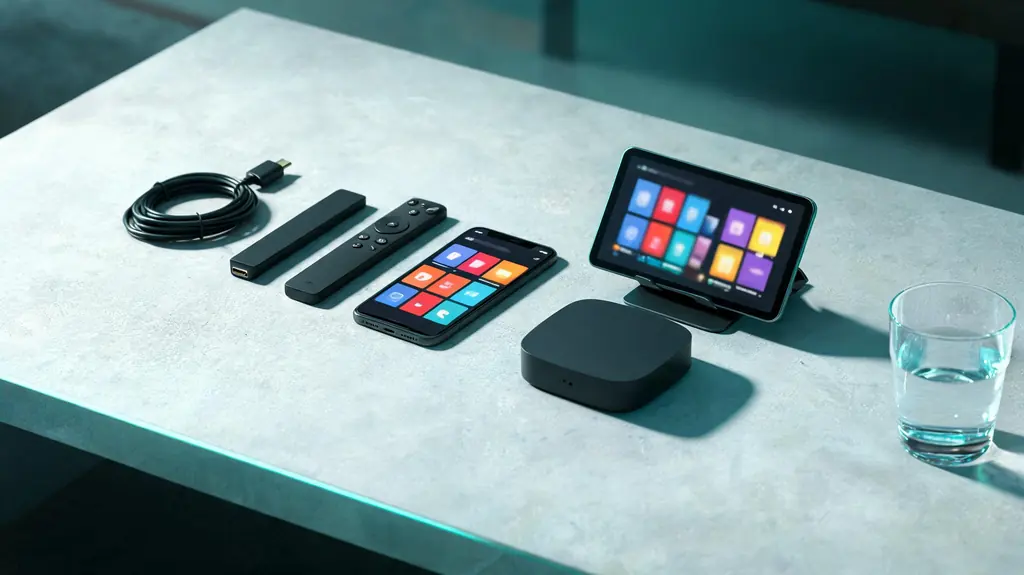
Phone, tablet, small TV box, streaming stick and two remotes spread across a living-room table
3 minutes, start to live

7 steps to a live channel with the M3U playlist

Within reach before step one

  • The KezelTV M3U link from the WhatsApp chat
  • A player that accepts playlists, such as VLC
  • The EPG (xmltv) address, if the player shows a guide

Still waiting on a login? Ask for a free KezelTV trial: a complete account for 24 hours, and nobody asks for a card.

Guide an hour out, or a show you missed? See how the KezelTV program guide loads and which channels keep a catch-up archive.

  1. Decide whether the playlist is the right tool

    Use it for a quick test on a borrowed laptop, or in a player with no Xtream option. Anywhere you watch every evening, the Xtream login is better, and changing over later means adding the account again from the start.

  2. Treat it as a password

    The link carries your username and password inside the address. Anyone who sees it can use your account, so never paste it into a forum, a review, a group chat or an uncropped screenshot.

  3. Open it in VLC for a one-minute check

    Windows users open VLC and go to Media, Open Network Stream; Mac users go to File, Open Network. Paste the link and press play. The line-up appears as a flat list; pick the channel you plan to watch tonight and confirm it plays. It is the fastest way to rule the account in or out when a television misbehaves.

  4. Load it into a simple TV player

    In a television app that takes playlists, find the add-playlist option and paste the link there; Smart IPTV instead attaches it to the MAC address of the set on its web page. The list builds in anything from a few seconds to a minute.

  5. Add the guide with the EPG address

    Program information is not part of a bare playlist, which is why guide-showing players have a second box for an EPG link. What goes there is the xmltv address; ask us and we send the one for your KezelTV account. With the Xtream login, the player finds the guide by itself.

  6. Know what you are giving up

    Groups may be approximate, the on-demand library is often missing, and replay rarely appears, because nothing has told the player which channels keep an archive. The channels themselves are identical; the player simply has less to work with on a live night.

  7. Move to Xtream once you settle on a device

    Once the main screen is settled, sign it in again using the server URL, username and password. You gain the guide, the groups, on-demand and replay where channels support it, and it takes the same couple of minutes. Keep the playlist link for VLC.

Snags and fixes

Live night snags with the M3U playlist, and what clears them

These are the hitches support hears about most on this kind of login, each paired with the fix that usually ends it. When no screen in the house will play anything at all, the cause sits further up the line: go to the KezelTV not-working checklist instead.

The playlist opens but nothing plays

Paste a fresh copy from the chat instead of typing it by hand; a single slip breaks the link without any warning. If a fresh copy fails too, send it to us to check.

Channel names are missing

Normal for a flat playlist in a basic player. The names sit in the list metadata, and not every player reads them. An Xtream login solves it.

No guide at all

That is normal, as program data is not part of a playlist. Give the player the xmltv address if it has a field for one, or sign in with Xtream instead.

No replay or on-demand section

Also expected. Archive flags and the film and series categories travel with the Xtream login, not with the playlist.

It worked last month and not today

First see whether the plan has run out. If time remains, the details may have been reset, so a quick question in the chat beats searching the device for a fault.

It loads in VLC but not on the TV

A few TV apps refuse playlists above a certain length. Signing in with Xtream on a more capable player gets around it.

Not signed up yet

Watch tonight on KezelTV, with the login in under 15 minutes

Each plan unlocks all 25,000+ live channels and 120,000+ movies and series, starting at $15 for one month or $69 for twelve, and none of them renews on its own. Rather look first? The 24-hour trial is a full account: open the guide on whichever screen you use, flick between the live channels you care about, and decide afterwards.

KezelTV with the M3U playlist, asked and answered

Is the KezelTV M3U link different from the Xtream login?

Same channels, same account, different packaging. The link folds your username and password into one address and returns a plain list. The Xtream login gives the player the three values one by one, so it can assemble groups, the program grid, on-demand menus and replay. Keep the link for VLC and quick checks.

What happens if I paste the link into a browser?

You get a downloaded text file and no picture: the link is a list of streams, not a stream itself. Use VLC or a proper player.

Can I send my M3U link to someone?

Please do not. The link contains your username and password, so handing it over hands over the account. If it has ended up somewhere public, let us know and we will replace the details.

Which players still need M3U?

VLC, plus a few older TV apps such as Smart IPTV. Current players mostly favor the Xtream login.

Why does my player ask for an EPG address too?

The playlist field covers channels only; program information needs its own address, the xmltv one, which we can send you. With an Xtream login, the player collects both without being asked.

Does the playlist update when channels change?

Yes, as long as you use the link rather than a downloaded copy. Players fetch it fresh each time, which is why editing a saved copy is a poor idea.