KezelTV on an LG webOS TV, checked before the big night

KezelTV runs on most recent LG televisions with nothing plugged in, using a player you install from the LG Content Store. LG sets run webOS; Smart IPTV supports webOS 3.0 and later, and a few other store players come and go by region. Setup takes about ten minutes. What this guide adds is a routine for the evenings that count, a final, a live concert or an election night, so you know the set, the connection and the guide are ready before anyone sits down.

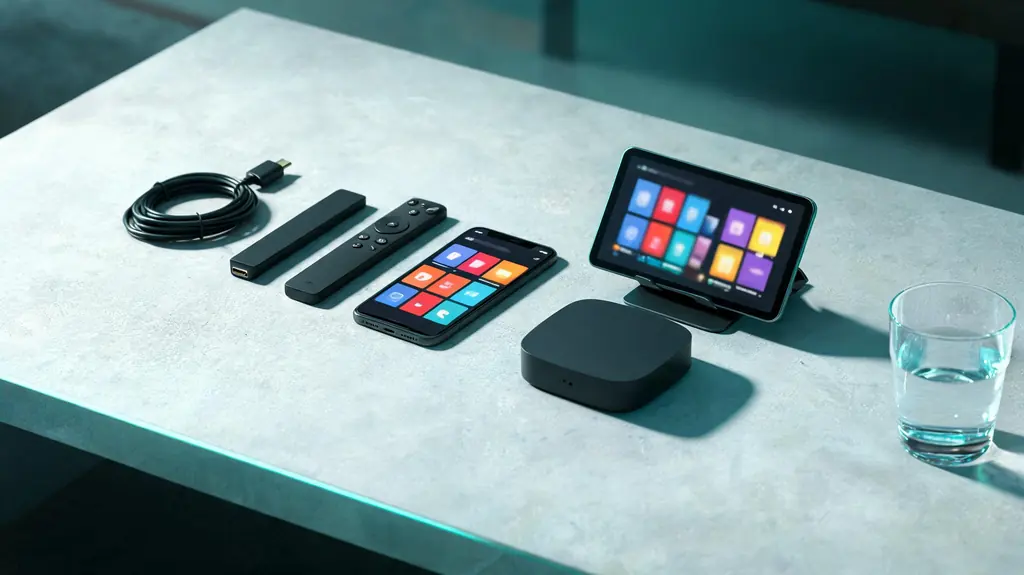
Phone, tablet, small TV box, streaming stick and two remotes spread across a living-room table
10 minutes, start to live

7 steps to a live channel on the LG Smart TV

Within reach before step one

  • An LG Smart TV running webOS 3.0 or newer
  • Your KezelTV login and M3U link from the WhatsApp chat
  • The LG account the television uses
  • Two minutes to look up the webOS version

Still waiting on a login? Ask for a free KezelTV trial: a complete account for 24 hours, and nobody asks for a card.

Guide an hour out, or a show you missed? See how the KezelTV program guide loads and which channels keep a catch-up archive.

  1. Look up the webOS version

    You will find it under About This TV, inside Settings, General (the menu is called System on newer sets). Smart IPTV supports webOS 3.0 and later, and the other current players usually want a recent version as well. If the store turns them all down, an external stick is the honest fix, and it will move through the channel list faster than the set ever could.

  2. Install a player from the Content Store

    From Home, open the LG Content Store, called Apps on the newest sets, and search for Smart IPTV, or any player with an Xtream or playlist option. webOS allows no sideloading, so whatever the store lists in your region is the full menu.

  3. Register the TV where the player needs it

    Some webOS players identify the set by its MAC address instead of a login. The app shows the address along with a web page; enter both on a phone or laptop together with the playlist link. That registration belongs to this television, so a replacement set needs one of its own.

  4. Add your KezelTV line-up

    Where the player accepts Xtream Codes, enter the username, password and server URL from your KezelTV chat; otherwise use the M3U link. Pick Xtream when both are offered, because it brings the groups and the program guide along rather than a flat list.

  5. Learn the Magic Remote arrow trick

    The pointer can feel clumsy inside these apps. Press any arrow button and the pointer disappears, leaving ordinary up, down, left and right control, which is far quicker for stepping through channels and the guide. Better to discover it this week than halfway through a live broadcast.

  6. Set favorites and the sound once

    Hide the groups nobody watches and collect the evening channels into favorites. Then open Settings, Sound, Sound Out, Additional Settings: choose Pass Through for the digital output when a soundbar or receiver decodes the audio, or PCM when the television speakers do. A soundbar whose surround light never comes on is nearly always this setting.

  7. Run the big-night check an hour before

    Switch the television off at the wall for a minute, since standby does not clear its memory, and restart the router if the house has been online all day. Open the channel and leave it playing for ten minutes, and confirm the guide shows the right program at the right time. If anything looks wrong, there is still time to message us on WhatsApp.

Snags and fixes

Live night snags on the LG Smart TV, and what clears them

These are the hitches support hears about most on this screen, each paired with the fix that usually ends it. When no screen in the house will play anything at all, the cause sits further up the line: go to the KezelTV not-working checklist instead.

Nothing suitable in the Content Store

This happens on older webOS releases and in certain countries. Since webOS offers no sideloading route we would recommend, plug in an external stick instead.

The app opens to a black screen

Most often the saved playlist did not update. Shut the app completely from the row of recent apps and relaunch it; if the screen stays black, reinstalling the player normally keeps the registration.

The picture freezes as guests arrive

Every guest phone that joins the Wi-Fi competes with the television. A cable to the set, or a router restart before the evening starts, keeps the live picture steady while the room fills.

4K channels stutter while HD runs smoothly

The processor in many LG sets trails the panel, so a 4K screen can still be a slow decoder. Keep the HD copy of the channel in favorites for live viewing on this set.

The guide times are an hour out

Check the time zone and clock in the television and player settings, then refresh the guide. A wrong offset also sends catch-up to the wrong program on channels that keep an archive.

The app vanished after a webOS update

Now and then an update removes an app. Install it again from the Content Store; the registration tends to survive, and nothing changes on your account.

Not signed up yet

Watch tonight on KezelTV, with the login in under 15 minutes

Each plan unlocks all 25,000+ live channels and 120,000+ movies and series, starting at $15 for one month or $69 for twelve, and none of them renews on its own. Rather look first? The 24-hour trial is a full account: open the guide on your LG Smart TV, flick between the live channels you care about, and decide afterwards.

KezelTV on the LG Smart TV, asked and answered

Does KezelTV work on an older LG TV?

If the set runs webOS 3.0 or newer, it usually does, with Smart IPTV or any store player offering an Xtream or M3U option. Earlier webOS releases reject the current players, so add a streaming stick through a free HDMI socket; it will also move through the channels faster than the set could.

LG or Samsung for watching live?

They are close. LG is slightly friendlier about sound settings, while Samsung store availability shifts more from one model year to the next. Both move through a long list more slowly than a good stick, which is the upgrade to make if live nights feel sluggish.

Does the LG player cost extra?

Some store players carry a small one-time fee that belongs to their developer and sits apart from your subscription. We receive none of it and cannot waive it.

Can I type the login with a keyboard?

Yes. Most USB keyboards work on webOS with no setup, and they make entering a long server URL far less tedious than the remote. Many sets accept a Bluetooth keyboard as well.

Will catch-up work on an LG player?

Partly at best, and only on channels that keep an archive, with archive length varying by channel. Many webOS players offer no replay at all, so if catching up the morning after matters, test it during the trial first.

How early should I tune in for a big live event?

Ten minutes is plenty. It gives the channel time to settle, the guide time to confirm you are on the right one, and you time for a quick restart if something stutters. Arriving cold at the last second is how people miss the opening.

Can two LG TVs at home share my KezelTV plan?

Yes, each with its own player and, where the player asks for one, its own MAC registration. Both can play together only if your plan covers two or more screens at the same moment.