KezelTV on a MAG or Formuler box, the set-top way to watch live

KezelTV on a MAG or Formuler receiver feels most like the cable box many households grew up with: switch it on, a live channel plays, the guide button opens the grid and the number keys change channels. Setup also differs from every other screen here. No username or password goes into it: you send us the MAC address printed underneath, we register it, and you type a single portal URL.

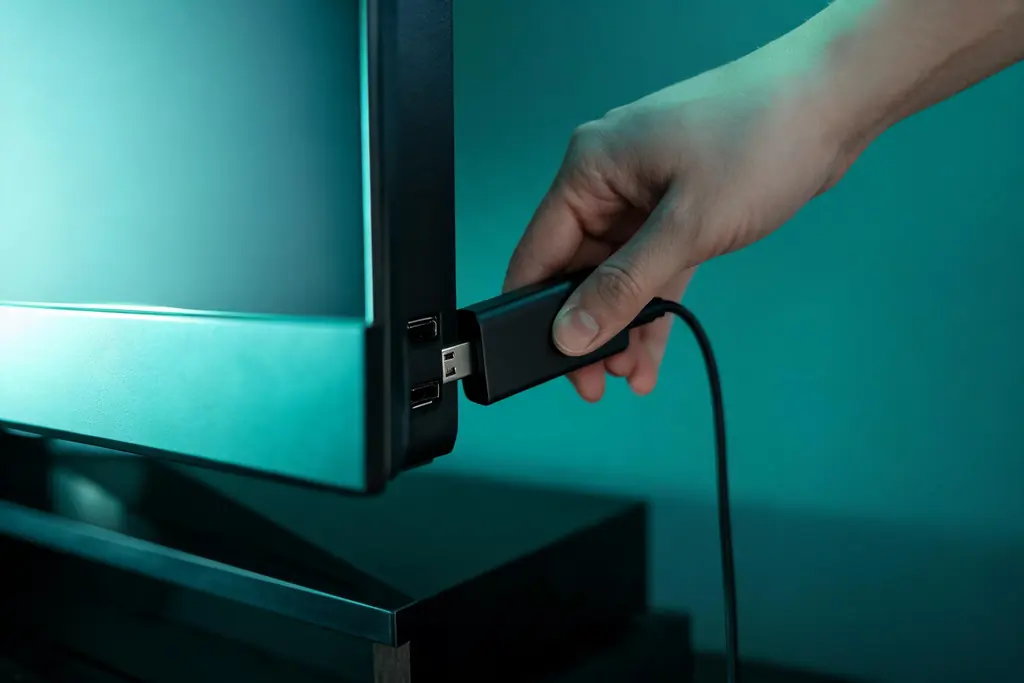
Streaming stick being pushed into an HDMI socket on the side of a television
8 minutes, start to live

7 steps to a live channel on the MAG and Formuler box

Within reach before step one

  • Any current MAG or Formuler receiver
  • The MAC address on the sticker underneath (on a MAG it begins 00:1A:79)
  • An Ethernet cable to the router
  • The KezelTV portal URL, sent once the MAC is registered

Still waiting on a login? Ask for a free KezelTV trial: a complete account for 24 hours, and nobody asks for a card.

Guide an hour out, or a show you missed? See how the KezelTV program guide loads and which channels keep a catch-up archive.

  1. Read the MAC address from the label

    Flip the box: the sticker shows a MAC address of twelve characters grouped in twos, beginning 00:1A:79 on any MAG. It identifies the box to the portal, so this one detail has to be exact; apart from the portal URL, nothing else gets typed into the box.

  2. Send it to us on WhatsApp

    Message the MAC address to your KezelTV chat exactly as printed, colons included. We register it and reply with the portal URL. One wrong character leaves the box on a loading screen with no helpful error, which is the most common request we get about this hardware.

  3. Connect it the way you would a cable box

    Plug in the Ethernet cable, since wired viewing is what this hardware exists for, and run HDMI to the television, or to the receiver first if you have one. Put the box somewhere it can stay put: these receivers are meant to rest in standby and wake with the remote.

  4. Enter the portal URL

    A MAG keeps it under Settings, System Settings, Servers, Portals: type the URL into Portal 1 URL and give the portal any name you like. A Formuler takes the same URL inside MyTVOnline, in the portal or connection section. Save it and restart through the menu rather than at the plug.

  5. Wait for the channels and the guide

    After the restart the box loads the line-up and the program guide from the portal, which can take a minute or two. The screen may look frozen; leave it. Once it is done you will find groups, the program grid and on-demand sections ready.

  6. Set it up for the household

    Where the portal offers it, hide the groups nobody watches and mark favorites for the evening channels, so the remote takes the family to the live shows they follow without any scrolling. Channel numbers follow the order of the list, so favorites become the quick dial.

  7. Check the guide and replay

    Open a familiar channel and press the guide button: program names should fill the grid. On channels that keep an archive, the portal may let you open earlier programs from the guide; that depends on the box software and the channel, and archive length varies. A filled guide over a steady channel means the box is set and will stay that way.

Snags and fixes

Live night snags on the MAG and Formuler box, and what clears them

These are the hitches support hears about most on this screen, each paired with the fix that usually ends it. When no screen in the house will play anything at all, the cause sits further up the line: go to the KezelTV not-working checklist instead.

Stuck on the loading screen

Most often the MAC address is to blame: a typo in the message, or a registration still pending. Resend it character for character from the sticker and we will compare it with what we hold.

The portal loads but channels will not play

Usually the portal URL, often with a character missing at the end. Re-enter it, save and restart from the menu.

It stopped working after a power cut

These boxes sometimes lose the portal setting when the power drops. Re-enter it, and shut down from the menu from then on.

Channels play but the guide is empty

Channels came through and program data did not. Restart through the menu, and if the grid stays blank, message us: that one is ours to fix.

The remote lags after a restart

The box is busy fetching the line-up and the guide. Give it a couple of minutes before pressing anything.

The amplifier shows stereo only

Set the HDMI audio output in the system settings to pass-through when an amplifier decodes the sound. If it is already set, that channel is simply stereo, which is normal for much of any line-up.

Not signed up yet

Watch tonight on KezelTV, with the login in under 15 minutes

Each plan unlocks all 25,000+ live channels and 120,000+ movies and series, starting at $15 for one month or $69 for twelve, and none of them renews on its own. Rather look first? The 24-hour trial is a full account: open the guide on your MAG and Formuler box, flick between the live channels you care about, and decide afterwards.

KezelTV on the MAG and Formuler box, asked and answered

Does one KezelTV plan stretch to a MAG box plus a phone?

It does. The portal and the login are simply two doors into one account. The plan only caps simultaneous playback, so on a single screen the box and the phone just take turns.

Is a MAG or Formuler worth buying?

If someone at home wants a box that behaves like cable, yes: it wakes up on live television, has a guide button and channel numbers, and runs on a cable to the router. If you are happy with apps on a stick, the stick costs less.

Why a MAC address instead of a password?

Portal-based boxes are designed that way: the hardware itself is the key. There is nothing to type day to day, but a replacement box means a quick message to us with its new address.

What if I buy a second box?

Message us the new MAC and it gets registered too. Your plan, not the hardware, decides whether the two can play at once.

Does the box keep working if I move home?

Yes. Registration is tied to the box itself rather than to any internet line, so it picks up wherever it is connected. One account still covers one household.

Do I need the newest Formuler?

No. Any current MAG or Formuler handles these feeds comfortably; newer models mainly bring a quicker menu.